
View All Leads
Welcome to the View All Leads documentation for AdCrush. This guide will walk you through the process of viewing all leads using our platform.Introduction
Viewing all leads on AdCrush is a quick and easy process. With just a few clicks, you’ll be able to access a comprehensive list of all leads captured by your campaigns.Prerequisites
Before you begin, make sure you have the following:- A valid AdCrush account
- The necessary permissions to view leads
Step-by-Step Guide
Navigate to:https://affilate.adscrush.com/leads
1
Log in to your AdCrush account
These are instructions or content that only pertain to the first step.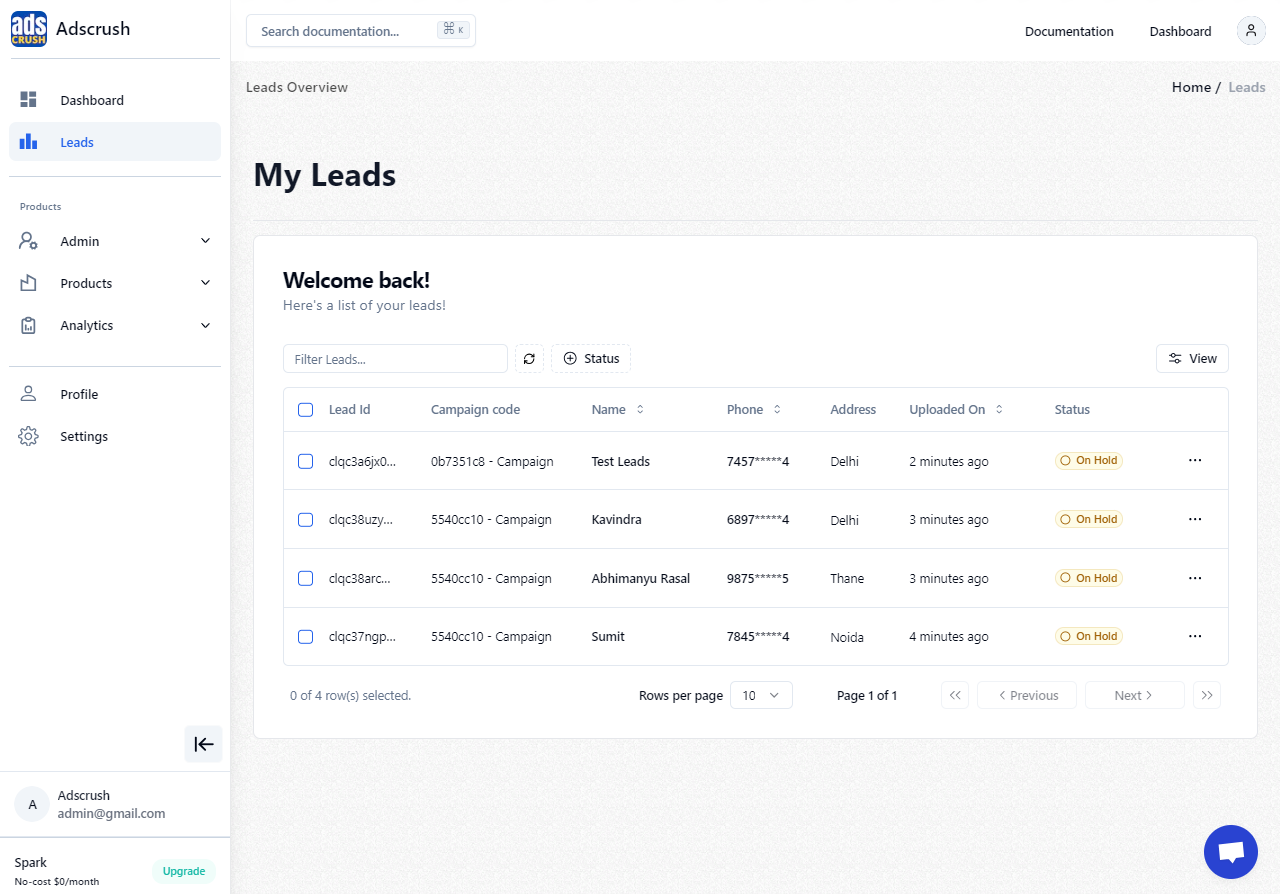
2
Navigate to the "Leads" section
These are instructions or content that only pertain to the second step.
3
Click the "Leads" button
These are instructions or content that only pertain to the third step.
4
Explore the leads list
These are instructions or content that only pertain to the third step.