
Create Campaign
Welcome to the Create Campaign documentation for AdCrush. This guide will walk you through the process of creating a campaign using our platform.Introduction
Creating a campaign on AdCrush is a simple and straightforward process. With just a few clicks, you’ll be able to create a new campaign and start managing it right away.Prerequisites
Before you begin, make sure you have the following:- A valid AdCrush account
- The necessary permissions to create campaigns
Step-by-Step Guide
Navigate to :https://affilate.adscrush.com/campaigns/create
1
Log in to your AdCrush account
These are instructions or content that only pertain to the first step.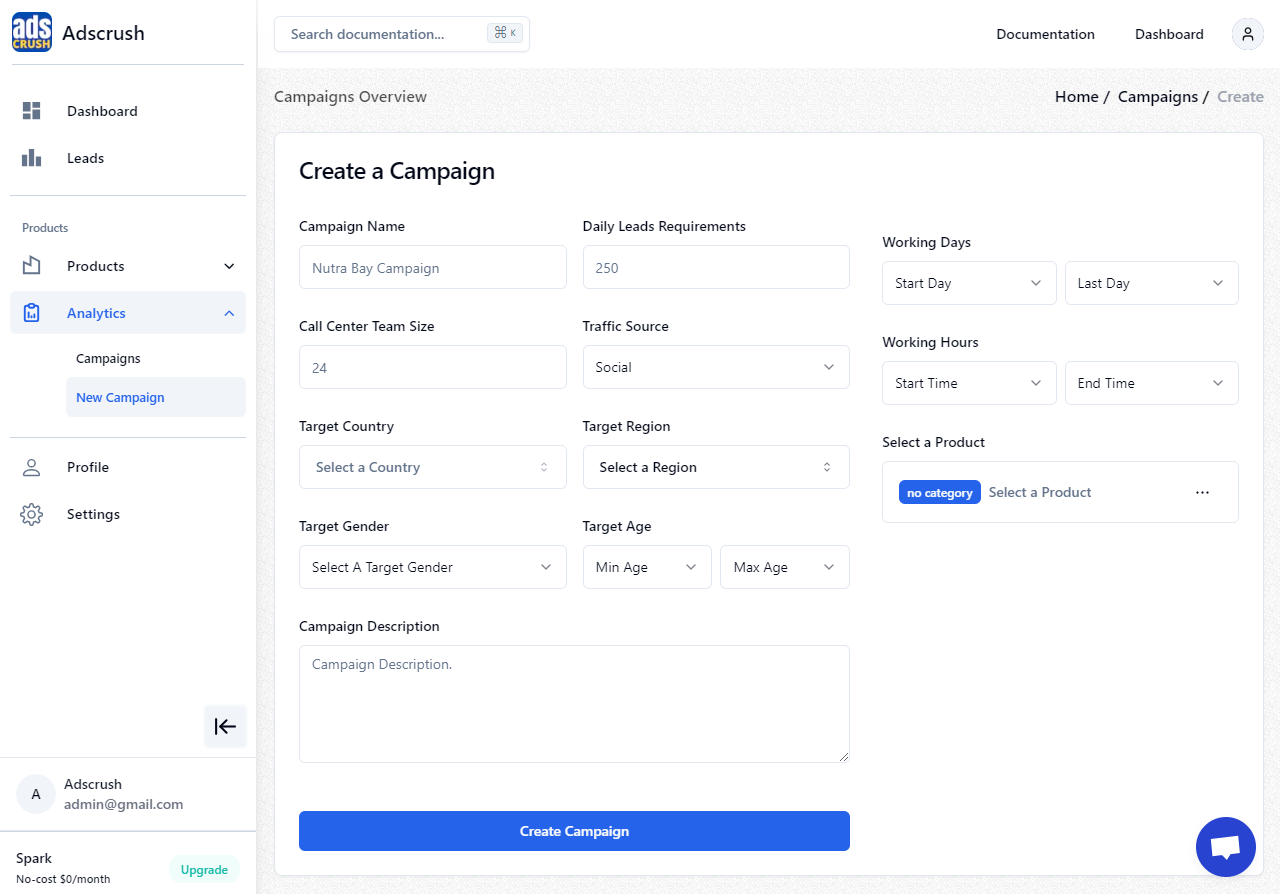
2
Navigate to the "Analytics" section
These are instructions or content that only pertain to the second step.
3
Click the "New Campaign" button
These are instructions or content that only pertain to the third step.
4
Fill the campaign details
These are instructions or content that only pertain to the third step.
5
Click "Create Campaign" to create your campaign
These are instructions or content that only pertain to the third step.