
Create Product
Welcome to the Create Product documentation for AdCrush. This guide will walk you through the process creating a product using our platform.Introduction
Creating a product on AdCrush is a simple and straightforward process. With just a few clicks, you’ll be able to create a new product and start managing it right away.Prerequisites
Before you begin, make sure you have the following:- A valid AdCrush account
- The necessary permissions to create products
Step-by-Step Guide
Navigate to :https://affilate.adscrush.com/products/create
1
Log in to your AdCrush account
Log in with your AdCrush account credentials.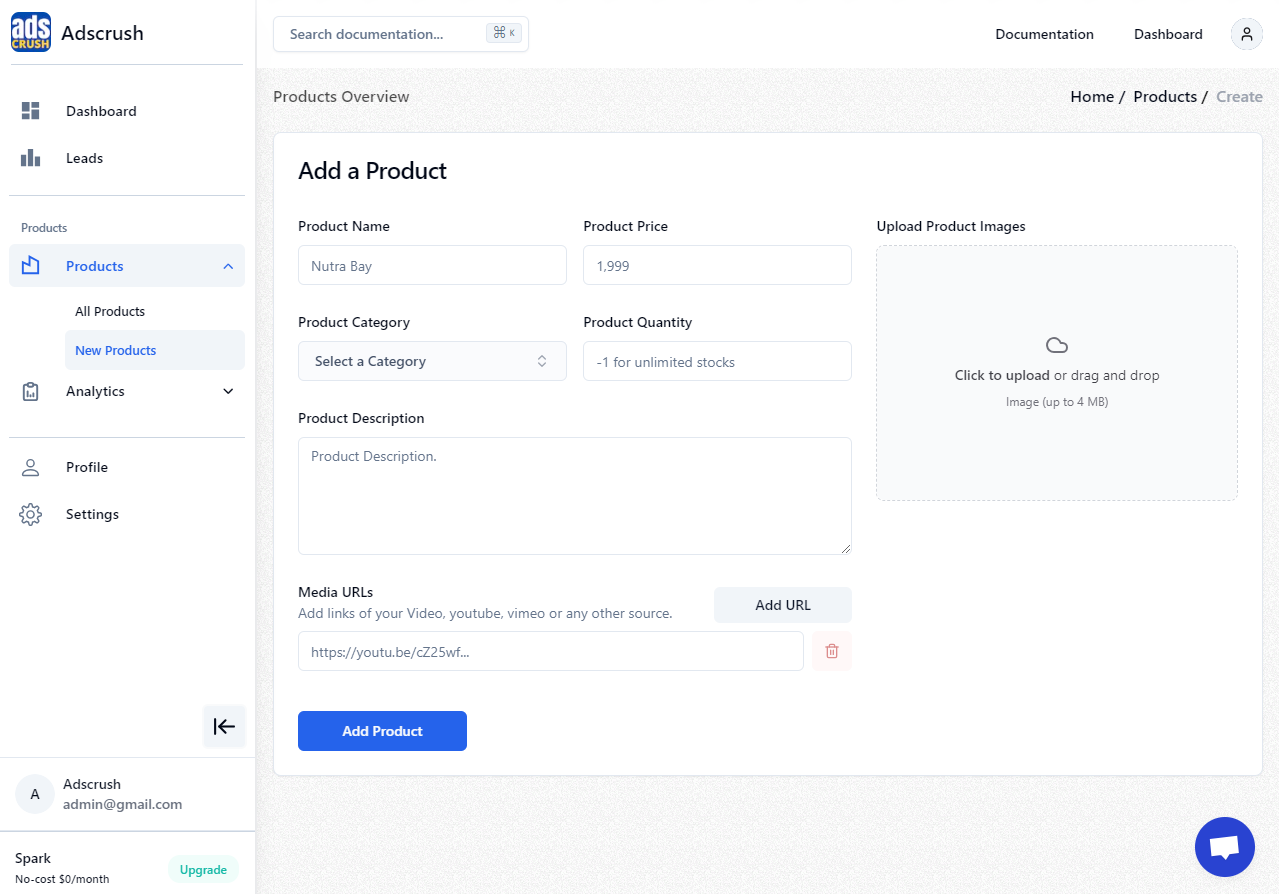
2
Navigate to the "Products" section
Once logged in, navigate to the ‘Products’ section in the AdCrush dashboard.
3
Click the "New Product" button
In the
Products dropdown section, locate and click the New Product button.4
Fill the product details
Complete the required fields and provide details for your new product.
5
Click "Add Product" to create your product
These are instructions or content that only pertain to the third step.